
How to Run a Workplace Donation Drive
Find 1 inside champion, hand the office a short list, and turn a single company drive into a partner you can call every year.

Anthony Politis |
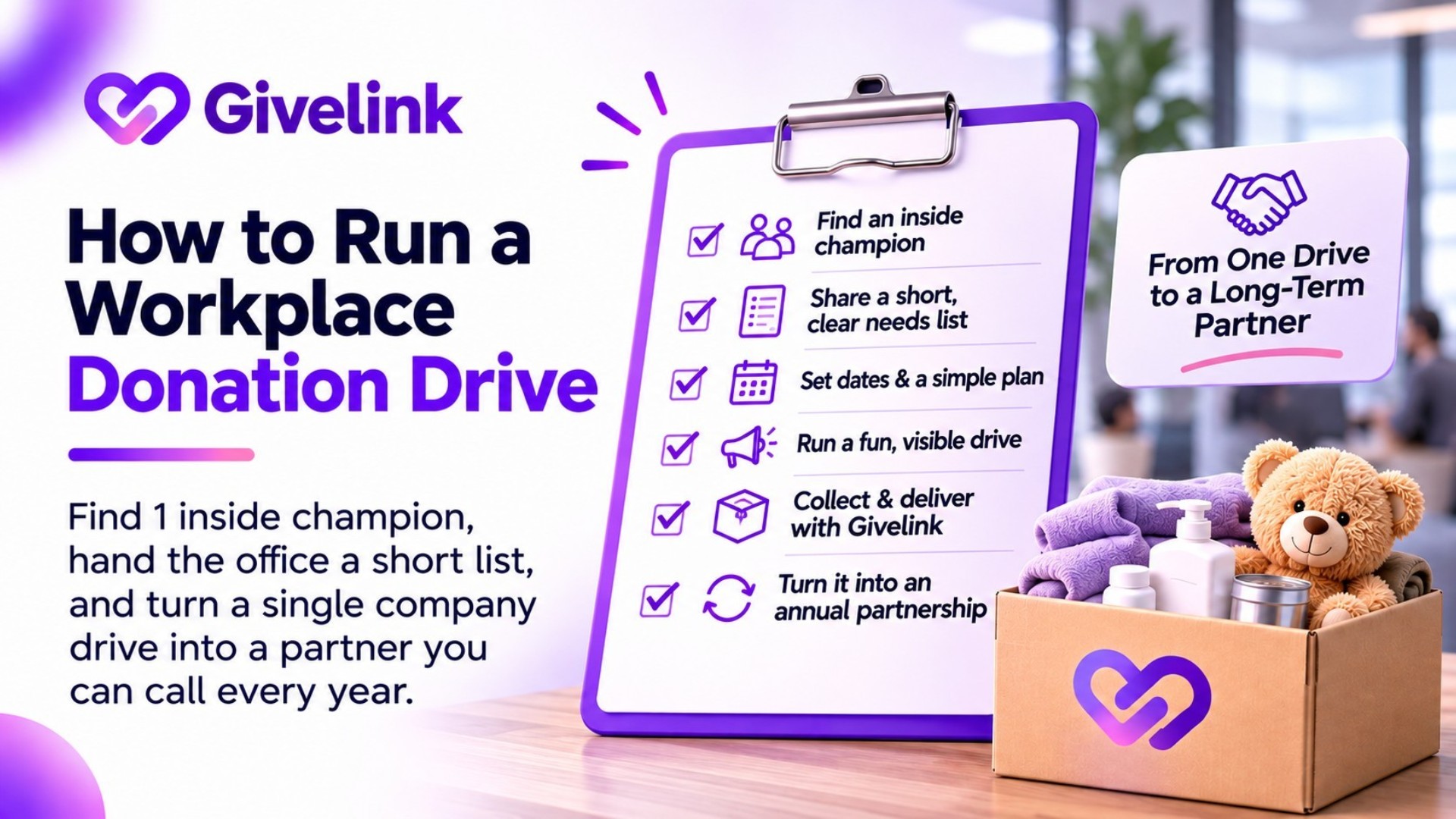
A workplace donation drive works when 1 person inside the company owns it, the ask is a short list of specific items, and the team sees what their gifts did. You bring the list and the follow-up. They bring the people. This guide covers how to find that person, what to hand them, and how to make 1 drive turn into a yearly habit.
Why workplaces are worth the effort
An office is a group that already meets, already talks in one channel and often already wants a reason to do something together. One email from a manager reaches more people than most nonprofits' Instagram posts. And companies that run one good drive tend to want another, because it's easy for them to repeat.
There's a second benefit. Every employee who gives is a new person who now knows your name.
Step 1: Find your inside champion
Don't start with the CEO. Start with someone who already likes you:
- Board members and their employers
- Volunteers (ask "Does your workplace ever do drives?" at your next shift)
- Donors whose email domain is a local company
- Local businesses that already sponsor your events What you want is 1 named person who'll send the emails and put up the box. HR, office managers and employee resource group leads are often the right people. A champion with a title isn't required. Enthusiasm is.
Step 2: Make a short, specific list
Offices give best when the list is short. Pick 5 to 10 items, all under about $30, with exact sizes and quantities. "Men's socks, size L, 60 pairs" beats "clothing". Our guide to building a nonprofit Amazon wishlist that actually gets fulfilled walks through the format.
Give each item a one-line reason. People forward reasons, not product names.
Step 3: Pick the format that fits the office
Online only. Best for remote or hybrid teams. Employees order from your list and it ships to you. Nobody hauls boxes.
Box in the office. Works for teams that are on site every day. Agree up front who empties it and how it gets to you.
Both. Online list for most people, a box for anyone who'd rather bring something in.
For hybrid teams, lead with online. A box in an office that's half empty on Fridays fills slowly.
Step 4: Set the dates around their calendar
2 weeks is about right. Avoid the company's busiest week and check for holiday closures. If the company has an all-hands or a volunteer day, launch the drive there so a manager can say it out loud.
Step 5: Give the champion everything ready to send
Your champion is doing you a favor. Make it a 5-minute job. Send them the kit below, a flyer with a QR code to your list, and 1 photo from your work they can use.
Step 6: Report back to the whole team
When the drive closes, send the champion a short update to forward: what came in, a photo of the items arriving, and one sentence on who it's helping. This is the step most drives skip, and it's the one that gets you invited back.
Step 7: Ask for next year before you hang up
At the wrap-up, ask: "Could we put this on the calendar for the same time next year?" A recurring date turns a one-off into a partnership.
What about matching gifts?
Many companies match employee cash gifts, but matching programs almost never cover donated goods, because the match needs a dollar amount. If the company runs a match, offer a cash option next to the item list and ask HR whether your organization is eligible. If you'd rather approach the company itself for products, see how to ask a company for products, not a cash match.
Copy-paste kit
Email from the champion to the team
Subject: Our [MONTH] drive for [ORG]
Hi all,
For the next 2 weeks we're collecting [ITEMS] for [ORG], who [WHAT THEY DO, 1 LINE].
They've listed exactly what they need: [LINK]. Pick an item, it ships straight to them, and they'll send us a photo when it all arrives. There's also a box by [PLACE] if you'd rather bring something in.
Drive closes [DATE]. Can we hit [NUMBER] items?
[NAME]
Slack or Teams post
We're collecting [ITEMS] for [ORG] until [DATE]. 5-10 items, all under $30, all things they asked for: [LINK]. Goal: [NUMBER]. Drop a thumbs up when you've picked one.
Newsletter blurb (your own newsletter, to thank them publicly)
Thank you to the team at [COMPANY], who collected [NUMBER] [ITEMS] for [WHO] this [MONTH]. Want to run a drive at your workplace? Reply to this email and we'll send you everything you need.
Bulletin or break-room flyer line
[COMPANY] x [ORG]: [ITEMS] drive until [DATE]. Scan to give from your phone, or drop items at [PLACE].
Where to share it inside the company
- The champion's team email or all-staff email
- Slack or Teams channels: general, social, the office's location channel
- Employee resource group channels that match your cause
- The company intranet or internal newsletter
- A printed flyer in the kitchen or break room, with a QR code
- The all-hands or team meeting (ask for 2 minutes) And outside it: once the drive is done, thank the company on your Facebook, Instagram and LinkedIn, and tag them. That post is also your pitch to the next company.
Where Givelink fits
A Givelink wishlist is a good fit for a workplace drive: it's free, employees fund the exact items on your list from anywhere, and each delivery is photo-verified on arrival, which gives you the photo for Step 6.
FAQ
How do we find companies willing to host a drive? Start with people who already know you: board members, volunteers and donors who work at local companies. A warm introduction to 1 champion beats 20 cold emails to HR inboxes.
Should we ask for items or cash? Items, with an optional cash link for anyone whose employer matches gifts. Items are easier for employees to say yes to, and they're what you actually need.
How big should the list be for an office? 5 to 10 items. A 60-item list makes people scroll and leave. A short list makes the choice easy.
What if the drive brings in very little? Still report back with a photo and thank everyone. A small first drive with a good follow-up often leads to a bigger second one.
Your next step
Write down 3 people who work at local companies and already support you. Send each one the champion email above and ask, "Would your workplace be up for this?"
See also



What is Givelink?
Learn from the founders:
Support a nonprofit
Buy their needs