
blog
How to Cut the Staff Time a Donation Drive Actually Costs
The real time sink in a goods drive isn't collecting items. It's sorting, tracking, and matching them to a need. Here's where that time goes and how to remove the manual steps.

Panos Kokmotos |
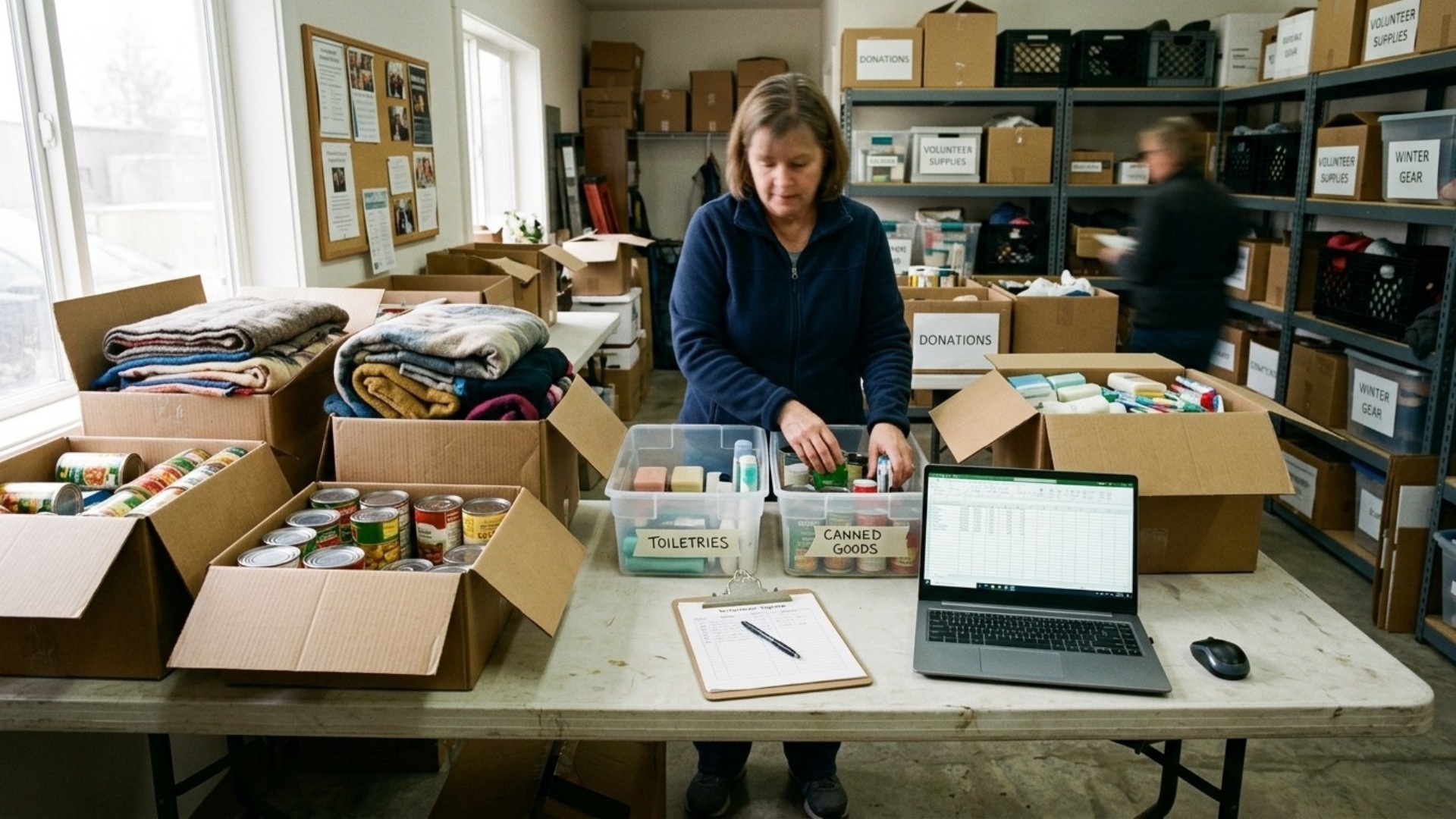
A donation drive doesn't cost staff time when people give. It costs staff time after they give: unloading boxes, figuring out what's inside, deciding what's usable, logging it somewhere, and following up with donors whose gifts didn't match anything the organization actually needed. That's the part that eats a week, not the collection itself.
The fix isn't "get more volunteers." It's removing the steps that create the sorting pile in the first place. Publish exactly what's needed, in specific quantities, and let the donor pick from that list instead of guessing.
Where the time actually goes
Ask a development director or volunteer coordinator what ate their week during a drive and the answer is rarely "too many donations." It's usually one of four things.
Sorting unmatched items. A general "collect what you can" appeal brings in a mix of exactly what's needed and things nobody asked for. Every box has to be opened and triaged before anyone knows which is which. A single pallet of mixed goods can take a small team most of an afternoon to work through, and that's before anything gets stored or logged.
No system of record. Paper sign-in sheets or a shared spreadsheet updated after the fact means nobody has a live picture of what's already covered and what's still short. Staff end up either over-asking (more appeals than needed once the shortfall is actually covered) or under-asking (not realizing a category is still empty until someone goes looking).
Chasing acknowledgments. Donors who dropped off items in person or shipped them unprompted often don't get a receipt or a thank-you, because there's no clean record of who gave what. That follow-up, when it happens at all, is usually a manual email written days or weeks later, well after the moment it would have meant the most to the donor.
Storage and disposal. Items that don't fit a real need still have to be stored, sorted again later, and eventually hauled away, a cost the nonprofit finance guide Joinit describes plainly: "Unwanted in-kind donations that require sorting, storage, staff time, and eventual disposal are not actually free. They cost real resources."
None of that is about the number of donors. It's about the gap between what was asked for and what showed up. Close that gap and three of the four time sinks above shrink on their own, because there's nothing left to sort, log after the fact, or store without a purpose.
The fix is specificity, not more staff
The organizations that spend the least staff time on a drive are the ones that publish a precise, itemized list before asking for anything. "40 boxes of size 4 diapers," not "diapers." "12 twin bedsheets," not "linens." A donor buying against a specific, named item doesn't need to be told what's useful, since the list already did that. There's nothing to sort because there's nothing that doesn't match.
That's the mechanism behind a wishlist-based drive, whether it's run on Amazon, Chewy, or a platform built specifically for nonprofit in-kind giving. Givelink works this way. An organization posts the exact items it needs, a donor buys against that list, the item ships straight to the nonprofit, and the platform verifies with a photo when it arrives, so the record-keeping and acknowledgment step is already done instead of sitting on a to-do list. See how it works on Givelink's for-nonprofits page.
What changes for the person running the drive
Think about the difference in a coordinator's actual week. Under a general appeal, a coordinator opens each box as it arrives, decides what it is, decides whether it's usable, writes it down somewhere, and eventually tells the donor thanks (if there's contact information at all). Under a specific, published list, the coordinator's job shrinks to one thing: keeping the list current. Everything that arrives already matches a known need, because the donor bought against that exact line item. There's no triage step, because triage already happened when the list was written.
That's the real lever here. It's not automation replacing a person. It's removing a category of work that only existed because the ask was vague in the first place.
What to do before your next drive
- Write the list before you post the appeal. Talk to whoever runs intake and get the real, current shortfall, not a generic category pulled from last year's version of the same appeal.
- Set quantities, not categories. "20 cans of formula" gets fulfilled cleanly. "Baby supplies" gets you a box of assorted items, half of which don't fit anything you actually needed.
- Put the list somewhere a donor can act on it directly, whether that's a wishlist platform, an Amazon list, or a simple public page. The point is removing the guesswork on the donor's end, which is what removes the sorting on yours.
- Track fulfillment as it happens, not after the drive closes. Knowing an item is covered the moment it's bought means you can stop promoting it and redirect attention to what's still short, instead of finding out three weeks later that you already had enough.
- Automate the thank-you. A donor who gets confirmation the moment their gift is delivered doesn't need a manual follow-up email later, and is more likely to give again without being asked twice.
FAQ
Does a wishlist-style drive really cut staff time, or does it just move the work somewhere else? It removes the sorting and matching step specifically, since every item that arrives was already requested. Intake, storage decisions for items that don't fit any request, and after-the-fact acknowledgment are the steps that go away. Someone still has to write the list and check the platform periodically, but that's a fraction of the time a general appeal costs.
What if we don't know our exact needs far enough in advance to list them? Start with what's reliably needed on a recurring basis, food pantry staples, hygiene kits, seasonal clothing sizes, and update the list as needs change. A live list beats a one-time appeal because it can be corrected in real time instead of re-run from scratch every few months.
Is this only useful for large organizations with dedicated staff? It's more useful for small organizations, since they have the least staff time to spare on sorting. A list-based platform with no setup fee, like Givelink, doesn't require dedicated staff to run. It requires someone updating the list, which takes minutes, not a shift.
Do donors actually prefer buying a specific item over dropping something off? Donors consistently report wanting their gift to matter, and a named item removes the uncertainty of whether a drop-off donation will actually get used. That's the same logic behind the popularity of nonprofit Amazon wishlists. Donors like knowing exactly what they're funding, and organizations get the benefit of that clarity without having to sort a mixed drop-off pile afterward.
How is this different from just asking donors to check our website before giving? A static list of needs on a webpage still requires the donor to figure out how to act on it, whether that means emailing the office, finding a specific store item, or guessing at a substitute. A platform built around the list closes that gap by turning the item itself into something a donor can buy directly, with delivery and confirmation handled automatically.
See also
What is Givelink?
Learn from the founders:
Support a nonprofit
Buy their needs